I had this problem a few weeks ago and actually never came up with a solution to the problem of setting my own postage on eBay – so I had to select one of the simple delivery options that eBay offer. I had an item that was worth more that £100 (a signed first edition book) and I wanted to offer a proper tracked and insured delivery that I had chosen myself.
I wasn’t sure that the option that eBay offered gave enough security for the purchase but as I couldn’t find anything else I had to use it. However, after doing some investigations about parcel sizes I happened across that very option – albeit you had to select a specific postage option to get to it.
The solution that I have found only seems to be possible on a desktop PC. I did try it on my phone but I didn’t seem to get the option to choose my own courier options, just some recommended ones from the Royal Mail.
So, the answer is this: when you get to select your postage, choose Large Letter. You can then see that you get the option of Simple Delivery or Custom Postage:
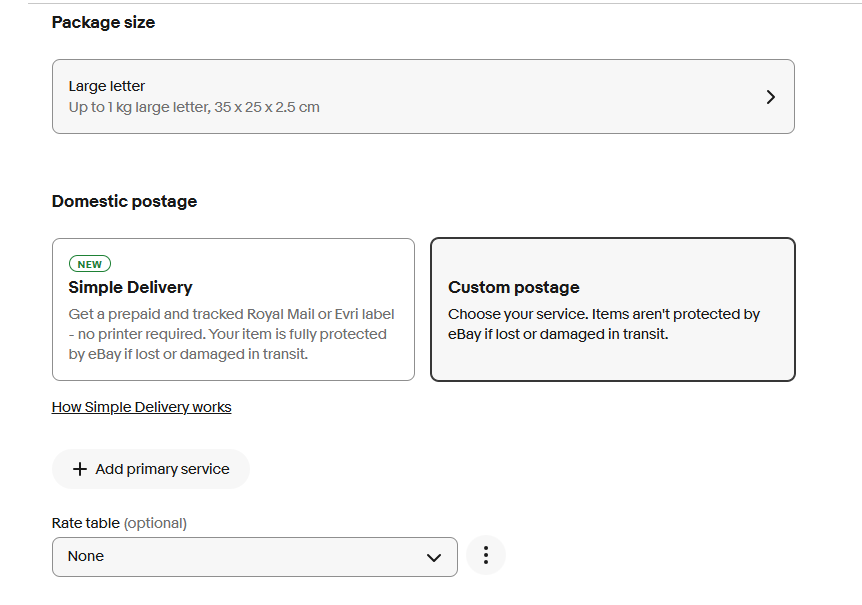 If you choose Custom Postage you then get the option to choose pretty much any service you like if you click on Add primary service. There are tracked options, 24 hour options and age verification ones as well as other couriers like Royal Mail, DPD, or even just other couriers of varying delivery times.
You can then enter your own postage cost, for example as below:
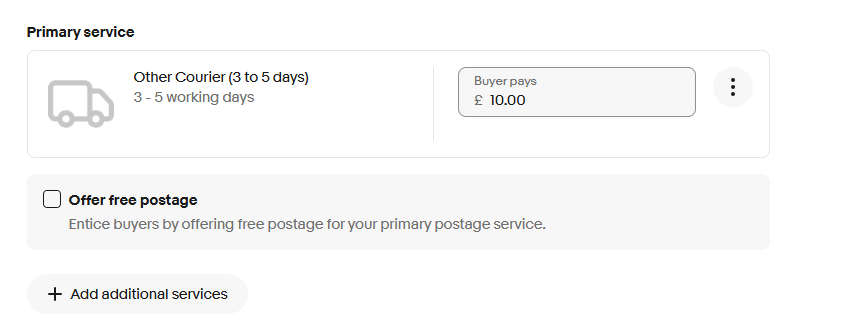 It seems like you can choose a number of options so you could give the buyer a choice.
In the past this has been really tricky to find out how to put in your own postage price on eBay but maybe they have listened to feedback and made it easier although it would be useful if this was also available on a mobile.


Hello –
“If you choose Custom Postage you then get the option to choose pretty much any service you like if you click on Add primary service. There are tracked options, 24 hour options and age verification ones as well as other couriers like Royal Mail, DPD, or even just other couriers of varying delivery times.”
– This is helpful to know, but I am not getting the ability to select delivery couriers from the ‘custom’ option. It just lists Royal Mail options for large letters.
Do you happen to know of a workaround? At present, I’m considering adding delivery options in the description per item, so that buyers know those will be included in the price – but that limits options for buyers and is quite clunky.
Thanks!
Hi, I wondered if they had changed it when they changed some postage options on 1st September, but I am still getting the option for other couriers e.g. DHL, DPD, FedEx, UPS when I click the add primary service. Also at the bottom you can select any type of custom service as per this image: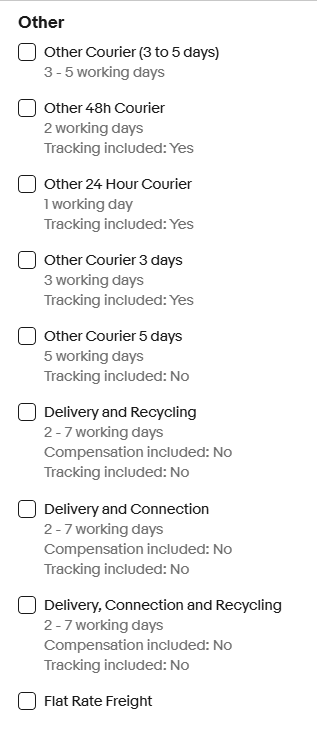
Are you using a PC as these options are not available via the app?